
Ich erkläre, wie man NAS-Ordner mounten kann, wenn sie in bestimmten Programmen fehlen.

tl;dr: Install Unison and curlftpfs. Mount the ftp share using curlftpfs and then perform a simple Unison sync.

Auf einfache Weise erklärt, wenn am Desktop gar nichts mehr geht, ohne jedes Mal den kompletten Rechner neu starten zu müssen.

I use Debian Bullseye on a Lenovo T14 AMD. This laptop is great and works very well with a recent Linux kernel (5.10).
It has 3 network interfaces: a wireless one, a wired one with a normal ethernet port, and a second wired one, with a prioprietary port, for Lenovo docks, I don’t use.
The interfaces are named wlp3s0, enp2s0f0 and enp5s0 in Debian. Yes, it turns out nowadways network interfaces are not simply named wlanX for wifi and ethX for ethernet as they conveniently used to.
Common Internet File System (CIFS) shares are a file-sharing protocol used (mainly) in Windows for accessing files and resources (such as printers) over a network. Permanently mounting CIFS shares ...

Linux für den Alltag: Tutorials, Anleitungen, Lösungen
Da in meinem Heimnetzwerk immer mehr Rechner mit unterschiedlichen Betriebssystemen auftauchen (von Linux über Android bis hin zu Windows), habe ich beschlossen, endlich eine einigermaßen universelle Methode für die gemeinsame Nutzung von Dateien in diesem LAN zu entwickeln. Lösungen wie SSH/SSHFS sind gut, aber nur für Linux. HTTP/FTP-Server sind ein wenig unhandlich und für diesen Zweck schlecht geeignet. NFS hingegen hatte bei mir einige größere/kleinere Leistungsprobleme, und ich weiß auch nicht, wie es um die Unterstützung für NFS unter Windows bestellt ist. Im Grunde bleibt mir als letzte Option das CIFS/SMB/SAMBA-Protokoll, das zumindest unter Windows gut funktionieren sollte. Allerdings muss mein Debian angepasst werden, damit es mit diesem Protokoll funktioniert. Die allgemeine Idee ist, dass man mehrere Verzeichnisse von einem Rechner aus ohne große Probleme mit anderen Benutzern im Heimnetzwerk teilen kann, und es spielt keine Rolle, ob man dies von Windows aus tut und am Ende auf Linux sitzt oder umgekehrt, d.h. man gibt Verzeichnisse von Linux aus frei, um deren Inhalt unter Windows durchsuchen zu können. Die Unterstützung des CIFS/SMB/SAMBA-Protokolls unter Linux zu implementieren, ist relativ einfach, denn Sie müssen nur das Samba-Paket installieren, ein paar Befehle in einem Terminal eingeben und fertig. Das Problem beginnt jedoch, wenn wir uns das Leben ein wenig leichter machen wollen, so dass in einem Dateimanager (z. B. nemo , caja , pcmanfm ) alle diese Ressourcen automatisch sichtbar sind, wenn wir auf die Registerkarte Netzwerk/Netzwerk gehen. Es gibt auch Sicherheitsaspekte, die bei diesem ganzen Dateifreigabemechanismus zu berücksichtigen sind.
TL;DR: Follow the README in https://github.com/lorenz/asrock-x300-s3-fix The ASRock DeskMini X300 is a very affordable barebone computer for everything that doesn't require more than 8C/16T or a necessitates an external GPU. Equipped with a 5700G, 32 GiB of RAM and a 512GiB of fast NVMe

#!/bin/bash
#
# This script opens a gnome-terminal in all selected directories, if nothing is selected it opens in current directory.
#
# You need to have caja-actions installed to use scripts.
# Put this file in your ~/.config/caja/scripts/ directory. Then:
# chmod +x ~/.config/caja/scripts/open-terminal-here
# vim ~/.config/caja/accels
# add the following line
# (gtk_accel_path "<Actions>/ScriptsGroup/script_file:\\s\\s\\shome\\sUSER\\s.config\\scaja\\sscripts\\sopen-terminal-here" "F4")
# where USER is your user name. This binds the script to F4, but of course you can change the shortcut as you like.
# Quit Caja (caja -q) and restart it.
# I've tested it on Ubuntu 19.10.
#
# Extended from following sources:
# https://github.com/mate-desktop/caja-extensions/issues/31#issuecomment-385655453
# http://misawascriptkid.blogspot.com/2012/06/caja.html
# https://forums.linuxmint.com/viewtopic.php?p=773382&sid=9939ce160bd97313f849367231eb721a#p773382
# http://g-scripts.sourceforge.net/nautilus-scripts/Execute/Open%20terminal/terminal-here

if [[ -z "$CAJA_SCRIPT_SELECTED_FILE_PATHS" ]]; then
    uri="${CAJA_SCRIPT_CURRENT_URI:7}"
    exec gnome-terminal --working-directory="${uri//%20/ }"
    exit
fi

while read path; do
    if [[ -d "$path" ]]; then
        gnome-terminal --working-directory="$path" &disown
    fi
done <<< "$CAJA_SCRIPT_SELECTED_FILE_PATHS"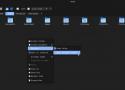
If you’re a Mate desktop user, Caja serves as your primary file manager. Today, let’s delve into something exciting—expanding the functionalities of Caja using Bash scripting. Additionally, these methods can easily apply to Nautilus with just a few adjustments, refer to Ubuntu’s Nautilus Scripts How-to.

Recently, Microsoft rolled out the KB5041585 security update for Windows 11, targeting versions 23H2 and 22H2. While it aims to enhance security, it’s

Informationen über Freie Software, Linux, Bash, Python und Webdesign


Hexinator is a professional hex editor that allows to decode files automatically

A list of best download managers for Linux. Take a look at their features and decide which suits your need.
Eigene Notizen
Motrix
- Website: https://motrix.app/
- Quellcode: https://github.com/agalwood/Motrix
- nicht in Mint-Anwendungsverwaltung
- aktuelle Version 1.8.19 von 2023-05-03
- verfügbar u. a. als .deb und .AppImage
- Download ca. 70 bzw. 100 MB groß
- hat auf #GitHub 718 (!) offene Issues
Gabut Download Manager
- nur als Flatpak in Mint-Anwendungsverwaltung
- verfügbar über #PPA
- aktuelle Version 2.6.0-1ubuntu3
- belegt ca. 6 MB Speicherplatz
- Quellcode: https://github.com/gabutakut/gabutdm
- hat auf #GitHub 5 offene Issues
Xtreme Download Manager (XDM)
- nicht in Mint-Anwendungsverwaltung
- aktuelle Version 8.0.29 von 2023-07-10
- verfügbar u. a. als .deb
- Download ca. 70 MB groß
- Quellcode: https://github.com/subhra74/xdm
- hat auf #GitHub 777 (!) offene Issues
Persepolis Download Manager
- GUI für #Aria2
- in #Python geschrieben
- in Version 3.0.1-1.1 als Systempaket in Mint-Anwendungsverwaltung
- belegt ca. 8 MB Speicherplatz
- aktuelle Version 5.0.1 auf https://github.com/persepolisdm/persepolis
- verfügbar über #PPA
- belegt ca. 6 MB Speicherplatz
- hat auf #GitHub 292 (!) offene Issues
KGet
- in Version 4:23.08.5-0ubuntu3 als Systempaket und in Version 24.08.1 als Flatpak in Mint-Anwendungsverwaltung
uGet
- GUI erinnert mich an WinWGet
- in Version 2.2.3-2build4 als Systempaket in Mint-Anwendungsverwaltung
- Entwicklung schläft seither (2020-01-01)
- belegt ca. 1,5 MB Speicherplatz
Ncdu is a disk usage analyzer with a text-mode user interface. It is designed to find space hogs on a remote server where you don’t have an entire graphical setup available, but it is a useful tool even on regular desktop systems. Ncdu aims to be fast, simple, easy to use, and should be able to run on any POSIX-like system.

Publii ist ein statisches CMS, das es einfach macht, sichere, schnelle und GDPR-konforme Websites mit einer benutzerfreundlichen GUI zu erstellen. Testen Sie es noch heute!